
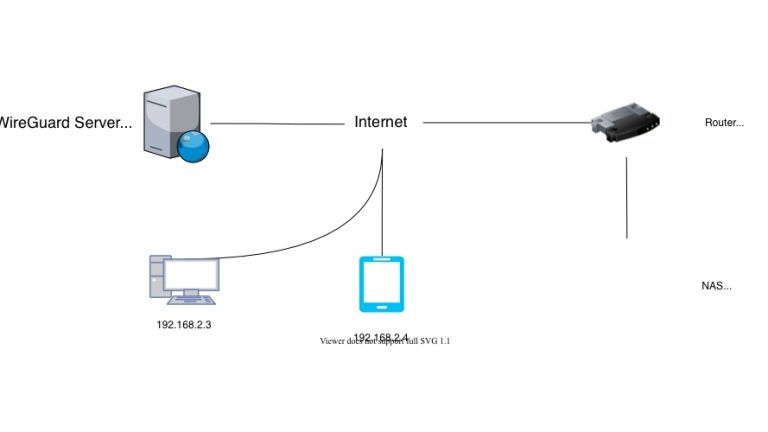
最近把一直使用的OpenVPN方案,替换成了WireGuard方案。WireGuard的优势大很多,最重要的是延迟与性能都非常不错。
| 对比项 | WireGuard | OpenVPN |
| 代码量 | 约4,000行代码 | 超过100,000行代码 |
| 性能 | 速度更快,延迟更低 | 相对较慢 |
| 配置复杂度 | 配置简单,易于部署 | 配置复杂,学习曲线陡峭 |
| 加密协议 | 使用现代加密算法(ChaCha20, Poly1305) | 支持多种加密算法,但部分较老旧 |
| 资源占用 | CPU和内存占用低 | 资源占用相对较高 |
| 跨平台支持 | 支持Linux、Windows、macOS、iOS、Android | 支持Linux、Windows、macOS、iOS、Android |
| 连接稳定性 | 漫游支持好,网络切换时无需重连 | 网络切换时可能需要重新连接 |
| 安全审计 | 代码简洁,易于审计 | 代码庞大,审计困难 |
| 开发活跃度 | 较新的项目,持续活跃开发 | 成熟稳定,但更新较慢 |
| 适用场景 | 适合追求性能和简洁的场景 | 适合需要复杂配置和企业级功能的场景 |
现在家宽都有公网ipv6地址,很适合来搭建没有中间服务器的互通。
不过本文使用的通过中转站VPS来使用,相对更稳定一些。
WireGuard几乎在所有平台都可以使用,包括但不限于MacOS, Windows, Linux, 嵌入式Linux如openwrt, iOS, Android等等。
VPS的安装:
sudo apt update
sudo apt install wireguard
wg --version
wg genkey | tee privatekey | wg pubkey > publickey
cat privatekey
cat publickey
新建节点配置文件:
sudo vi /etc/wireguard/wg0.conf结构大致如下:
[Interface]
Address = fd10::1/64, 10.10.10.1/32
ListenPort = 51820
PrivateKey = VPS_PRIVATE_KEY
[Peer]
PublicKey = 公司节点的publickey
AllowedIPs = fd10::2/128, 10.10.10.2/32, 192.168.10.0/24
[Peer]
PublicKey = HOME_PUBLIC_KEY
AllowedIPs = fd10::3/128, 10.10.10.3/32, 192.168.20.0/24
在公司的设备上,wireguard的各种不同设备的配置好像都一样的,这点很好。
这里示例的是openwrt,
[Interface]
PrivateKey = local-private-key
Address = fd10::2/64, 10.10.10.2/32

[Peer]
PublicKey =
AllowedIPs = fd10::/64, 192.168.20.0/24, 10.10.10.0/24
Endpoint = VPS_IP:51820
PersistentKeepalive = 25
在家里的设备上:
[Interface]
PrivateKey = local-private-key
Address = fd10::3/64, 10.10.10.3/32

[Peer]
PublicKey =
AllowedIPs = fd10::/64, 192.168.10.0/24, 10.10.10.0/24
Endpoint = VPS_IP:51820
PersistentKeepalive = 25
配置好后执行:
sudo wg-quick up wg0
sudo systemctl enable wg-quick@wg0
sudo wg show
拓扑如下:
客户端A
  └─ WG → VPS
          └─ 路由匹配 192.168.20.0/24
               └─ WG → OpenWrt
                       └─ 转发 → LAN 192.168.20.50
重要一环:在VPS上,通常是linux, 默认没有wg0 → wg0的ipv4转发,所以需要:
sudo iptables -I FORWARD 1 -i wg0 -o wg0 -j ACCEPT
sudo apt install iptables-persistent
sudo netfilter-persistent save
实用指令:用来监听入站ping流量
sudo tcpdump -ni wg0 icmp现在你可以在公司访问家里的局域网设备,也可以在家里访问公司的局域网设备了。
有任何问题欢迎评论交流。
